Skip to content
Plan together

Family Reunion Planning

Templates, attendees, shared notes and starter tasks keep the reunion organized. And afterwards, the photos stay with the event, beside the guest list that says who came.

  • Everyone in the family joins free
  • Invite-only
  • Nobody's data sold
A big family gathered outdoors, smiling together
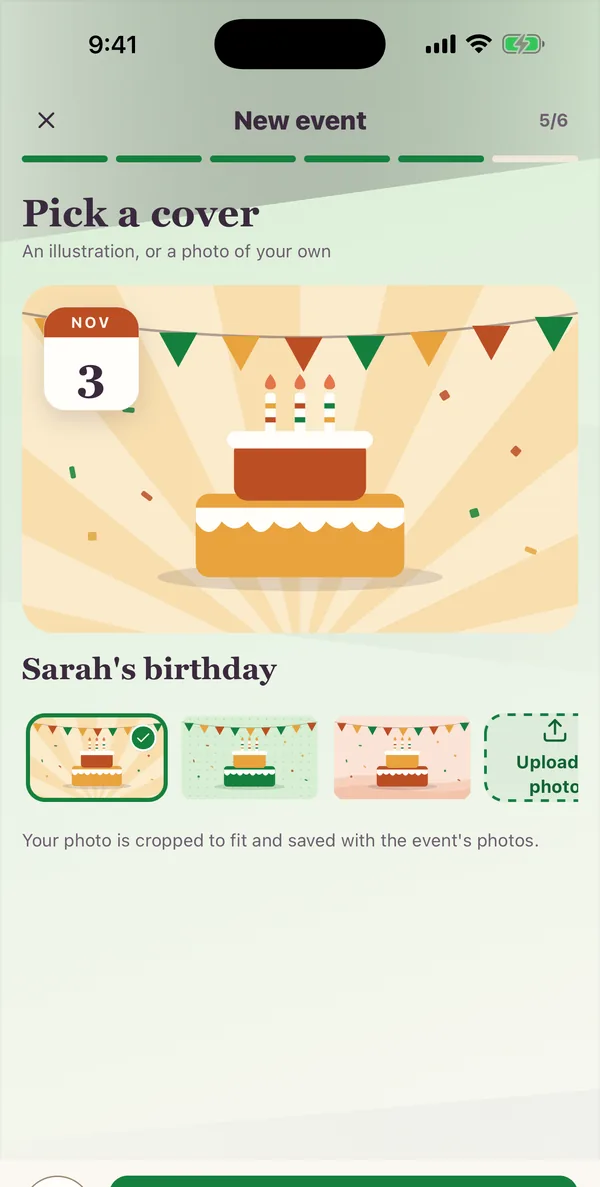
The new-event steps in the Kunbaa app (sample family): picking a birthday cover for Sarah's birthday on 3 November
  • 6 launch types
    event templates
  • Starter lists
    seeded for each event
  • Family members
    on the guest list
  • Free
    to plan, for everyone

Everyone at the table, because nobody missed the message

Event templates

Birthday, anniversary, festival, gathering, reunion or wedding-weekend structures.
OCTOBERMTWTFSS12345678910111213141516181920212223242526272829303117Grandma's 80thSaturday · reminderBook the hallOrder the cakeOld photosNMAJcoming

Task & supply lists

Practical tasks for food, travel, venue, photo collection and final checks. Then divide them up.

The photos stay

Photos and recap posts attach to the event and the people in them, inside the family archive.
Templates

Start with practical reunion and celebration templates

Launch templates cover reunions, milestone birthdays, anniversaries, festivals, get-togethers and wedding weekends; customize the notes, attendees and starter tasks for your group.
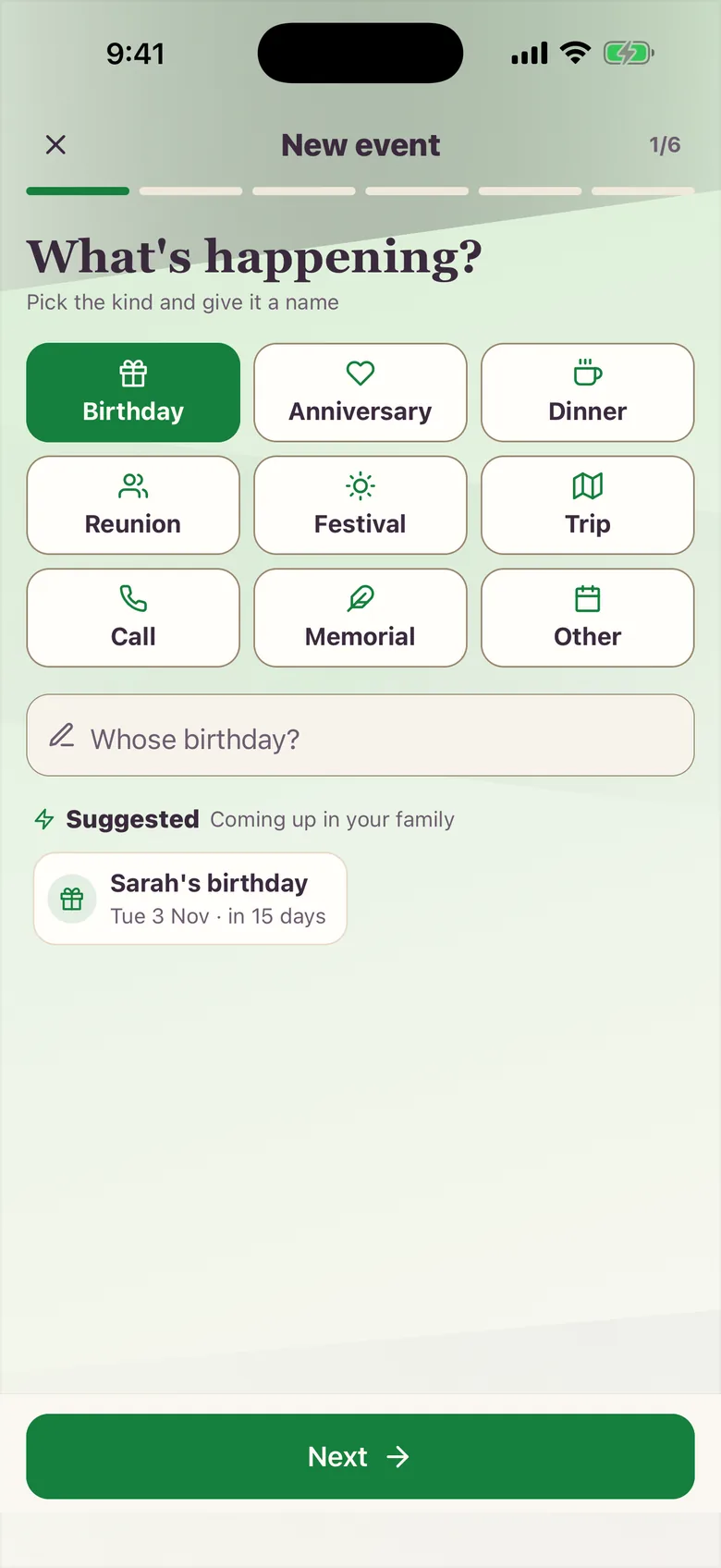
Starting a new event in the Kunbaa app (sample family): choosing a birthday, an anniversary, a dinner or a reunion, with Sarah's birthday suggested
Keep the memory

Turn the event into family history

Keep the photos, videos and recap posts with the reunion and write down who is in them, so ten years on anyone in the family can open that day and know who came.
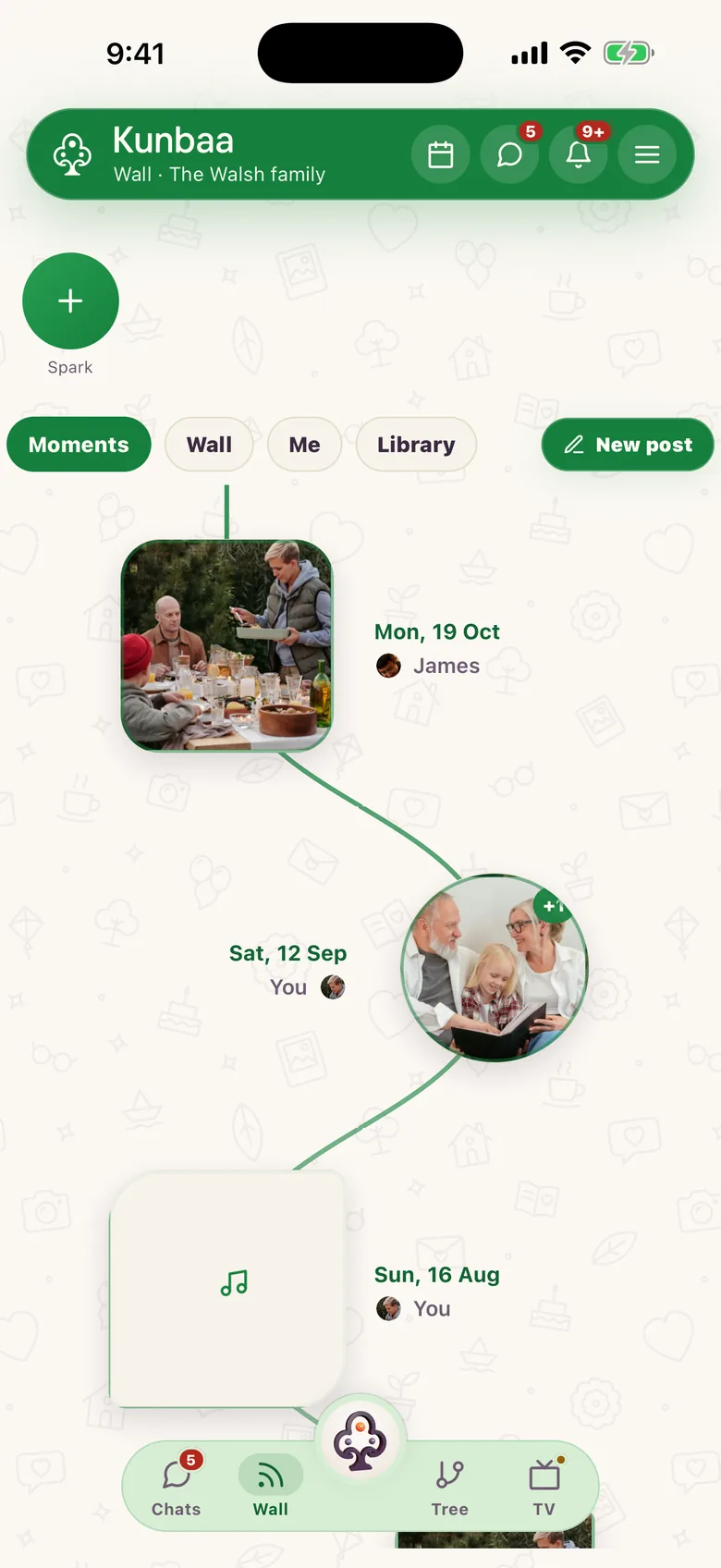
Moments in the Kunbaa app (sample family): the Walsh family's photos and a voice note, laid out by the day they were shared, each marked with who shared it

The reunion ends. The photos shouldn't scatter.

Every reunion produces a wonderful day and three hundred photos across eleven phones; Kunbaa plans the first and keeps the second. Events, attendees, notes and starter task lists live in one private space, and afterwards the photos attach to the event and the people in them, so the reunion joins the family archive instead of fading in a chat thread.

What you can organize

  • Reunions with dates, venue notes and starter tasks covering travel, food and the run of the day.
  • Birthdays, anniversaries, festivals and family gatherings, each started from a practical template.
  • Starter task lists (dates, venue, food, travel, photo collection, final checks) that the family can divide up.
  • Post-event memories saved into the family archive with the people and date attached.

Planning is free for the whole family

Events, attendees, notes and tasks are on the free plan. Everyone joins free, and nobody needs a card to RSVP to Diwali. Planning happens beside the family tree, the wall and the chat; see pricing for what the paid plans add, and how Kunbaa helps you stay connected with family abroad between reunions.

Frequently asked questions

More questions? Read the full FAQ or the help centre.

How do I start planning a reunion?

One sheet sets the event up: name it, pick the kind, set the date and place, and choose who is invited. Then Kunbaa seeds a starter task list: dates, venue, food, travel, memory collection and final checks, which your family can divide up.

Can relatives in different cities follow the plan?

Yes. Attendees, notes and tasks live in one private space, so relatives across time zones see the same plan.

What happens to the photos after the event?

Recap posts and photos appear in the family archive automatically, with the date attached, findable by tapping the event.

Does event planning cost anything?

No. Events, attendees, notes and tasks are free for the whole family. There are two paid plans: Kunbaa Plus, $9.99/mo or $99.99/yr on kunbaa.com or in the app, and Kunbaa Ultra, $19.99/mo or $199.99/yr on kunbaa.com. They add shared archive storage. Planning itself never needs it.

Start with the people you know. Invite the rest.

Everyone in the family joins free. Build the tree, then bring them in.