Clear first steps
A good tree tool helps you start with a few people and grow gradually, instead of dropping you on a blank canvas with no guidance.
Start with yourself, add parents and grandparents, then invite the family. Everyone gets their own place in the tree and their birthday on it, with an archive for the photos and stories beside it.
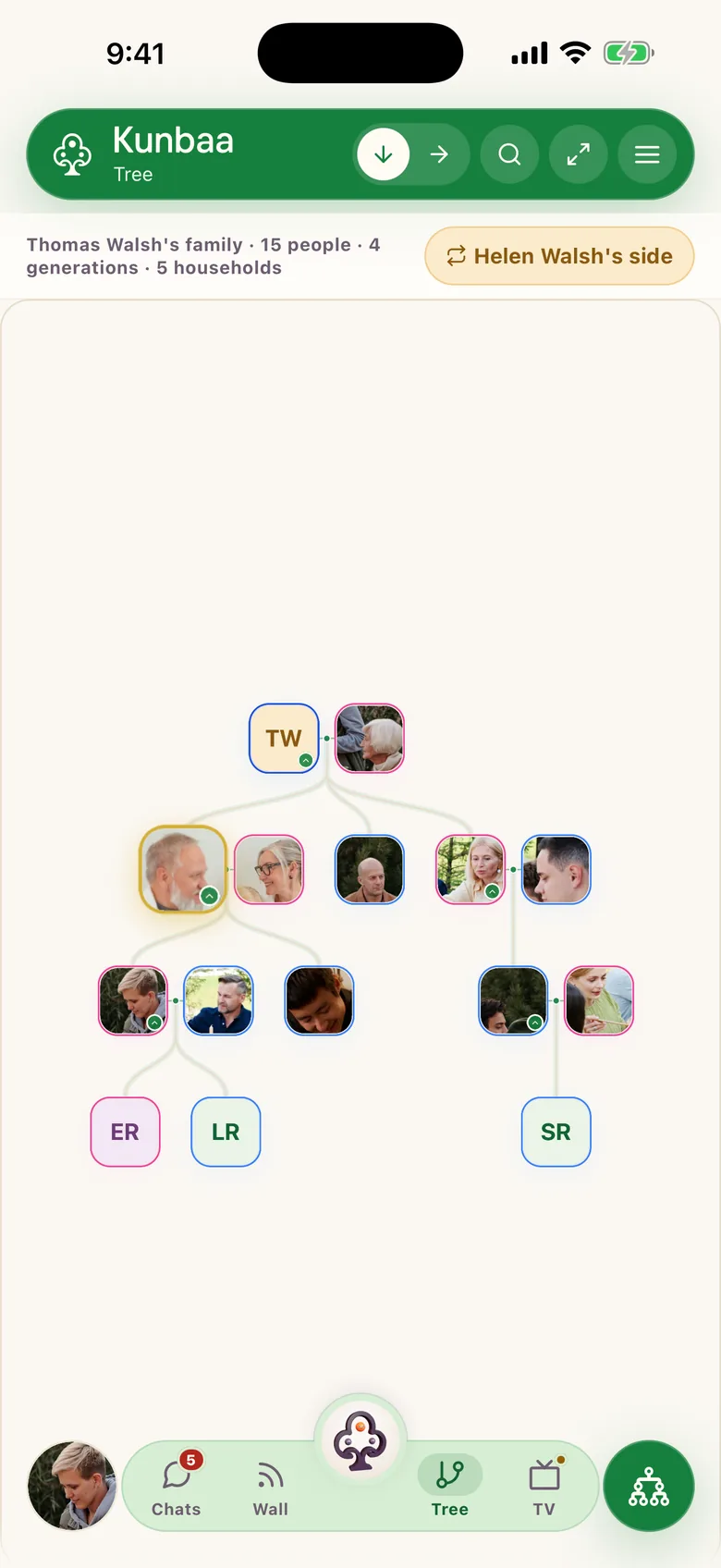
Add your name, birth year, and the branch you want to build first.
Build the core structure before you expand to cousins, in-laws, and side branches.
Family members claim their own spot and fill in the names, dates, and stories from their side.
You do not need perfect records to start. A short list of basics is enough for your first version.
Most families start their tree in notes, chat threads, or spreadsheets. That works for collecting names, but it gets messy fast once you need to show who belongs where. And it does nothing for the photos.
The group chat is where the family talks, and it should stay that way. But a chat shows a photo once and buries it: photos sent through messaging apps are compressed substantially, and chat media can expire from the servers, so an old photo may fail to re-download if the sender no longer has the original. A tree gives the people and the originals a home behind the chat.
And if your family has looked at Ancestry, MyHeritage, or FamilySearch: those are research tools for records, DNA, and historical trees. Kunbaa does the other job: a private tree for the living family, where the relatives you actually know carry their own photos and stories.
Continue with the next guide that matches where your family is in the setup process.
Clear answers for families who want to start a private family tree with less friction.
More questions? Read the full FAQ or the help centre.
Yes. Start with yourself and the relatives you know with confidence. A useful family tree grows in layers and does not need to be complete on day one.
Yes. That is the whole point. The tree holds the people, their birthdays and how everyone connects; beside it, a private archive keeps the photos, videos and stories, with the names, the place and roughly when written in the caption.
Yes. Invite adult relatives into your private family space to fill in missing branches, dates, and stories. Accounts are for adults 18 and up; children appear in the tree and photos, added by the adults.
Yes, as a GEDCOM file. Export it from the program or site your tree lives in and import it on kunbaa.com in a browser: Kunbaa matches it against the people already in your tree and writes nothing until you confirm. Other genealogy formats are not read. Starting with the close relatives you can verify still works well for a fresh tree: the family fills in the rest faster than a file can.
When families search for a way to create a family tree online, they are usually trying to solve two problems at once: they want the structure, who belongs where, and they want somewhere for the old photos, the grandparents' stories, and the context future generations will need. Kunbaa is built for both: a real tree holding who everyone is and how they connect, and beside it an archive where each photo and story is kept with the names, the place and roughly when written in the caption, not filed in an album or lost in a thread.
Instead of treating genealogy as a solo research project, Kunbaa makes the tree something relatives build together. Start with a few immediate family members, add relationships over time, and attach memories as you go. The tree stays useful because it holds the family, not just the names. Everyone in the family joins free; see pricing for what the paid plans add.
The fastest way to create a family tree is to begin with what your family already knows: yourself, your parents, grandparents, siblings, and children. Once that foundation is clear, it becomes much easier to invite cousins, uncles, aunties, and elders to fill in the missing branches. The invite guide shows how. A tree becomes valuable the moment it helps your family remember relationships and keep stories together, not when it is complete.
If you want the full method first, read how to build a family tree, or sketch the structure with a simple template before you start.