Skip to content
No algorithm, no outsiders

Family wall & timeline

A calm, chronological wall for short family updates and announcements. Photo collages, comments, reactions and mentions. No ranking, no strangers, shared only with the family.
  • Everyone in the family joins free
  • Invite-only
  • Nobody's data sold
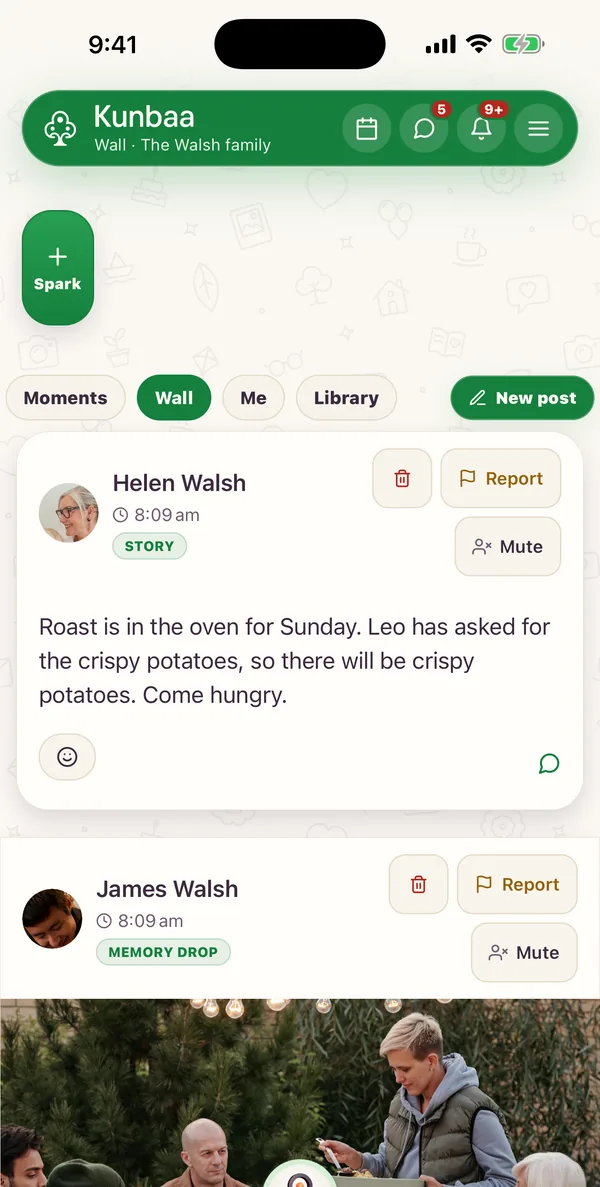
The family wall in the Kunbaa app (sample family): a story post from Helen Walsh about Sunday's roast and a memory-drop post from James Walsh
  • None
    private content used for ad targeting
  • Reactions
    on every post
  • Comments
    and @-mentions
  • Family only
    who can see the wall

Your family's story, in order

Chronological

No hidden ranking. Your family's story in order.
The old albumFirst stepsGrandad's storySummer, everyone

Photo collages

Several photos in one post, laid out as a collage grid.

Reactions & mentions

Comments, reactions and @-mentions keep relatives in the loop.
On kunbaa.com

The family wall on the web

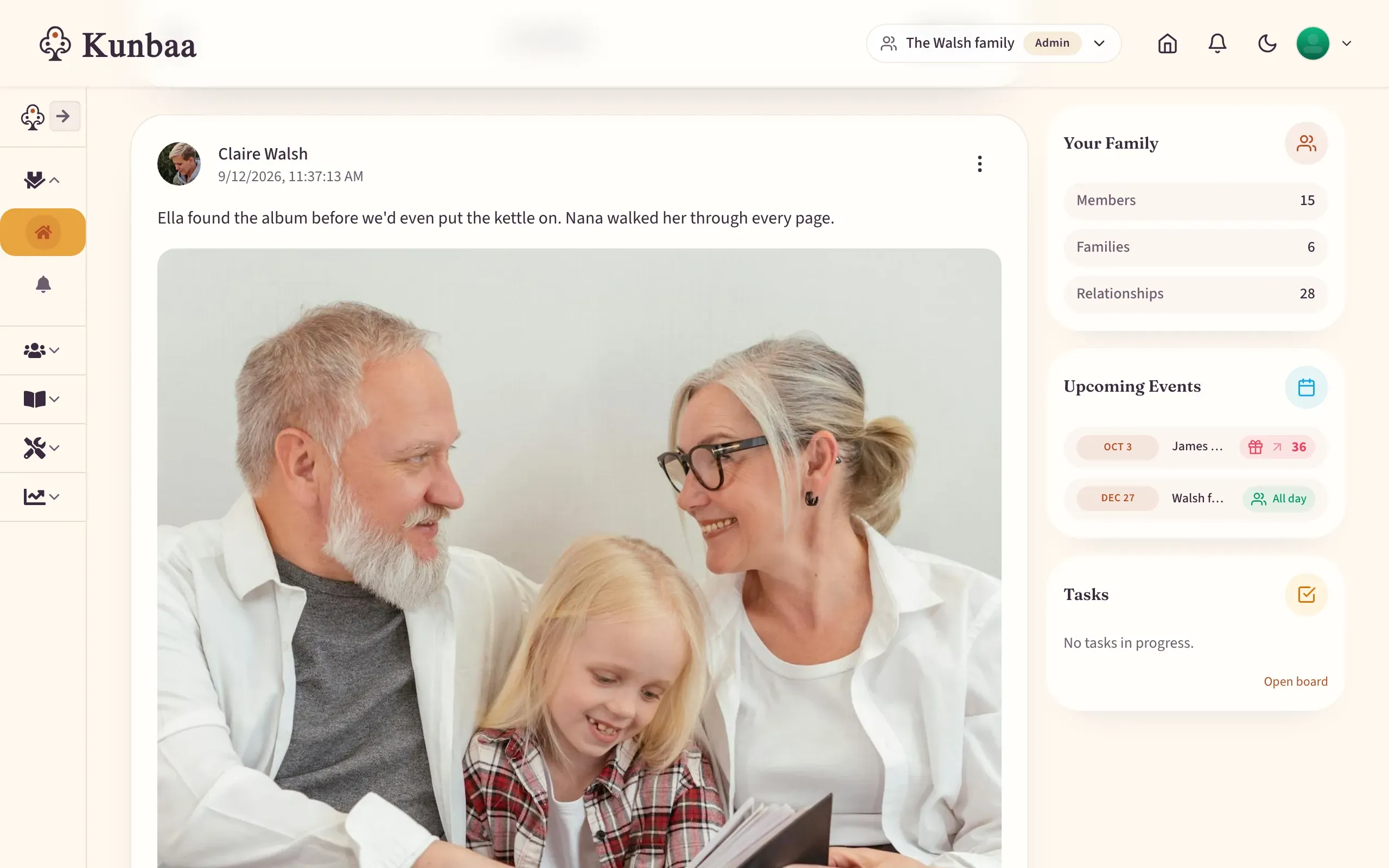
Post several photos at once and they arrange into a collage grid, so a birthday or trip stays in one place, with the family, upcoming events and tasks alongside.
  • Multi-photo collage grids
  • Comments, reactions, and mentions
  • Every post with a photo lands in the family archive
kunbaa.com/dashboard
The Kunbaa family wall on the web: Claire Walsh's photo post of grandparents and a granddaughter reading an old album, with the family, upcoming events and tasks alongside
Find again

Keep the moments that matter

Every post stays on the profile of the relative who shared it, so a person’s page gathers their moments.

Every photo and video on the wall is kept in the family archive, in the Library and in Moments day by day.
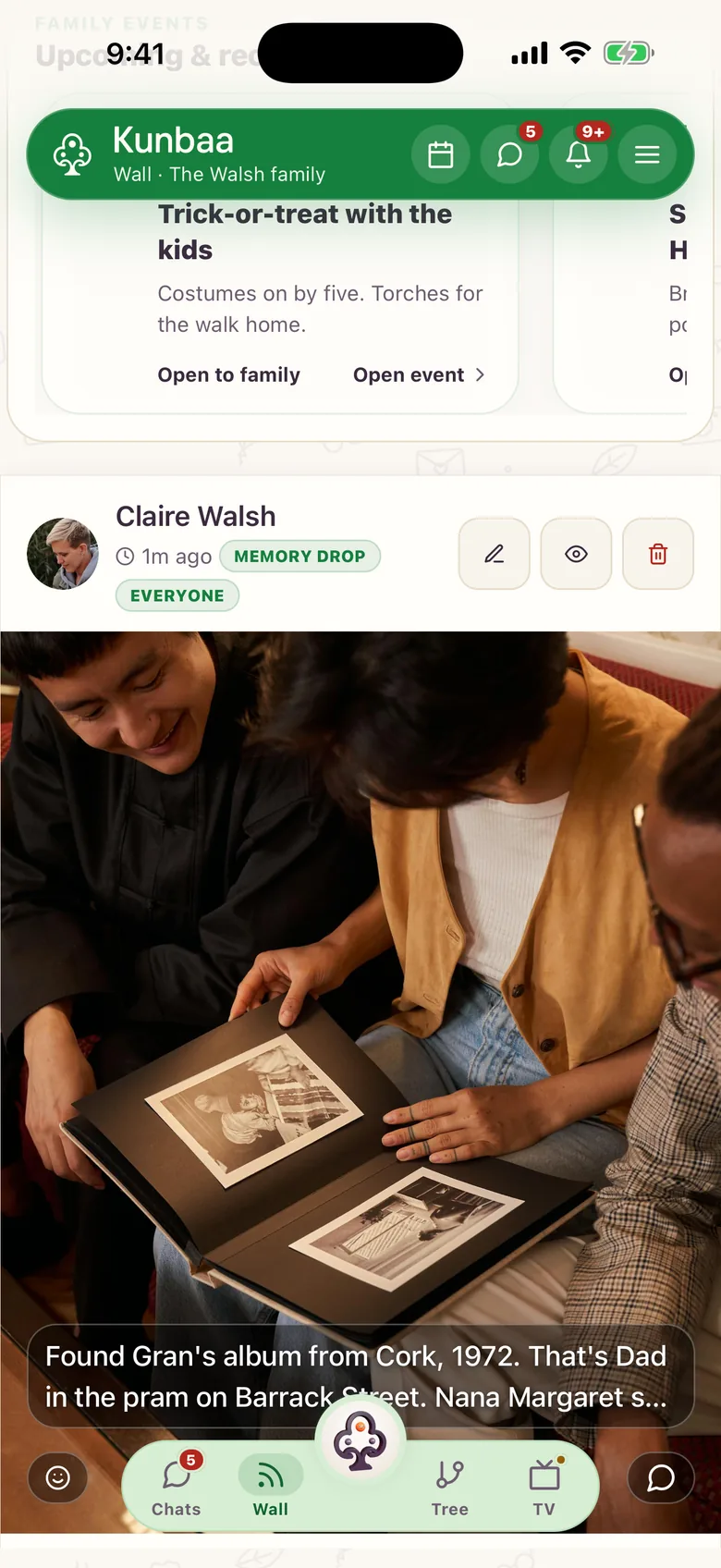
A memory-drop post on the Walsh family's wall (sample family): an old album photo from Cork, 1972, with the story written in the caption
On mobile

The family wall, in your pocket

Post a collage, react to a cousin's news and catch up in one calm feed. Pair it with Announcements for milestones and Moments for the long view.
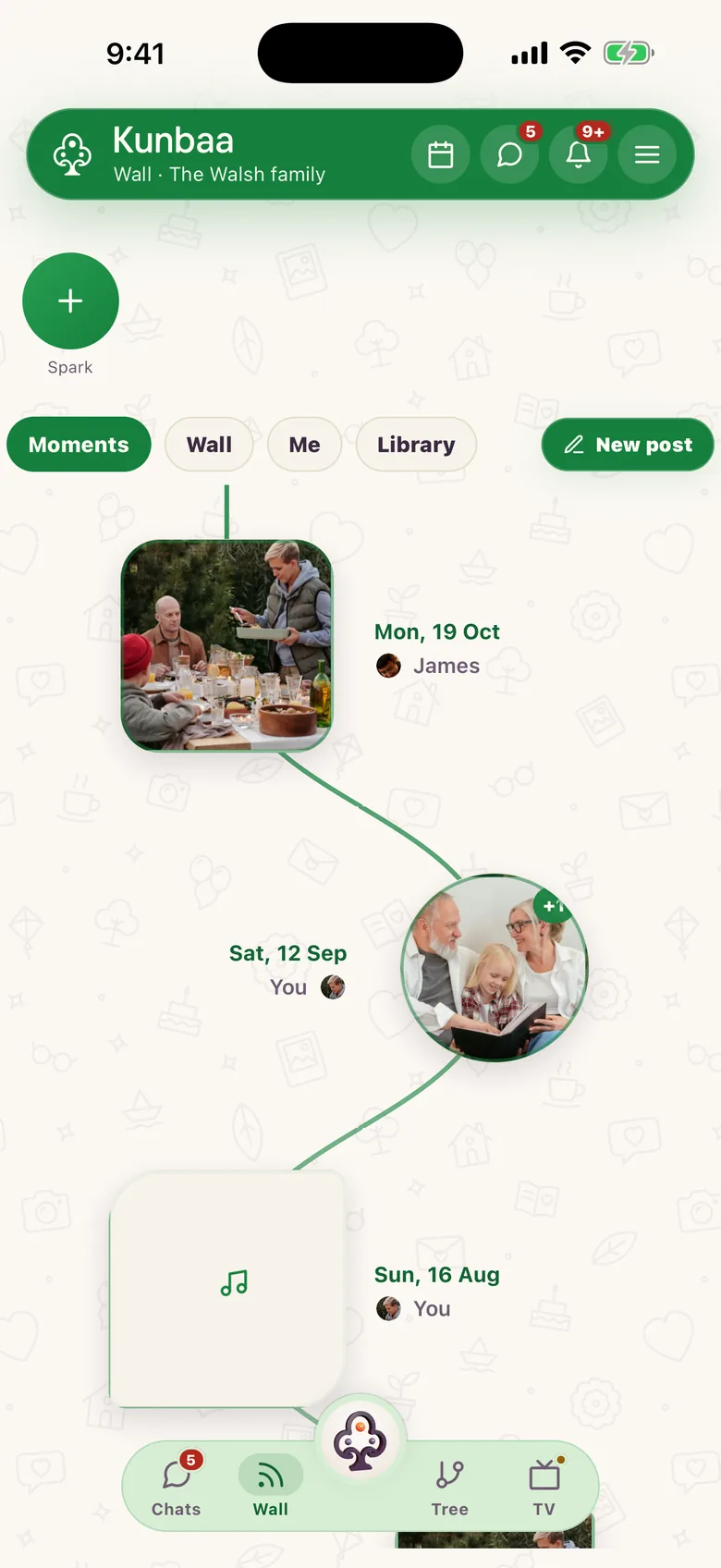
Moments in the Kunbaa app (sample family): the Walsh family's photos and a voice note, laid out by the day they were shared, each marked with who shared it

Your family's story, in order

The family wall is the calm middle of Kunbaa: everyday updates in chronological order, for your invited family only. No engagement algorithm, no public feed, no strangers.

It is built for keeping, not engagement: school photos and festival greetings go up with the names and the date beside them, alongside your family tree. Videos are short clips on the free plan; on Kunbaa Plus the whole speech goes up.

What belongs on the family wall?

  • Everyday updates and photo collages, with comments, reactions and mentions.
  • Moments the family should see but the public never should. And, with a share radius, the ones only your household should.
  • Anything worth keeping: a post is kept from the moment you share it, so write the names in the caption.
  • The big news belongs in Announcements, so it never scrolls away.

The wall is free for every family member. See Moments for the modern family wall, and pricing for what the paid plans adds.

Frequently asked questions

More questions? Read the full FAQ or the help centre.

How is the family wall different from a public social feed?

There is no engagement algorithm and no public audience. Posts appear in order for your invited family only, and private posts are not used for third-party ad targeting.

Can I post several photos at once?

Yes. Multiple photos lay out as a collage grid inside a single post, with reactions, comments, and mentions.

Do posts become part of our archive?

Yes, they already are. Photos and videos are kept in your family's private archive with the names you wrote down and the date it was shared; there is no separate step to save a post, and the archive is never deleted.

Does the family wall cost anything?

No. The wall is free for everyone, like the tree, chat, voice and video calls, events and Family Safety. Kunbaa Plus, $9.99/mo or $99.99/yr on kunbaa.com or in the app, keeps longer videos where the free plan keeps to short clips, room for the whole family's archive, and the photos and videos from the family chat.

Start with the people you know. Invite the rest.

Everyone in the family joins free. Build the tree, then bring them in.