The short answer
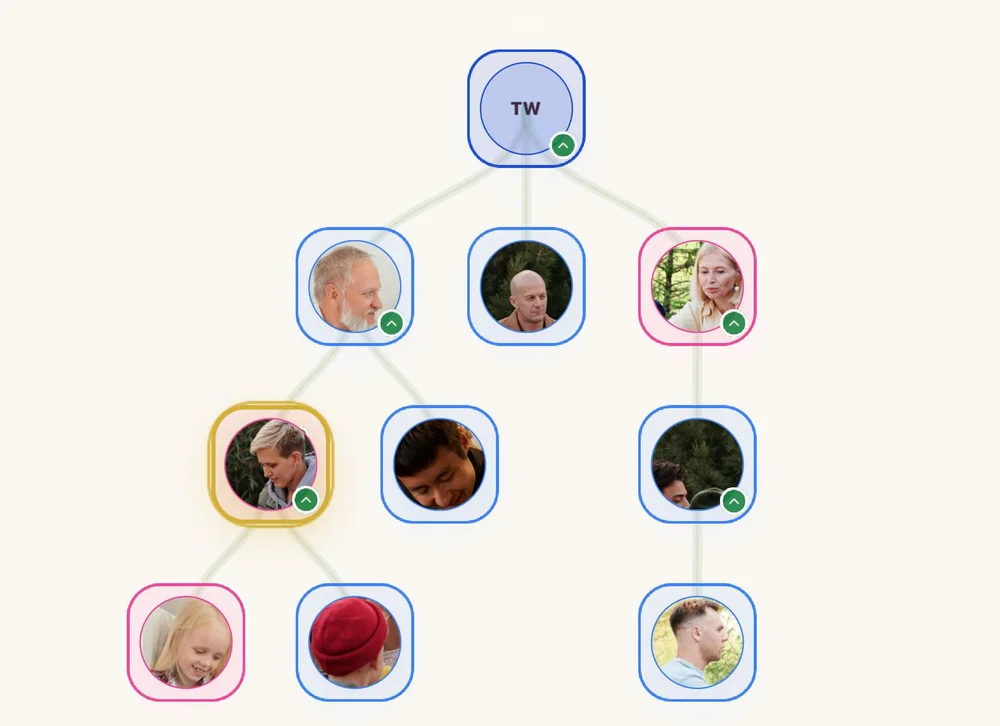
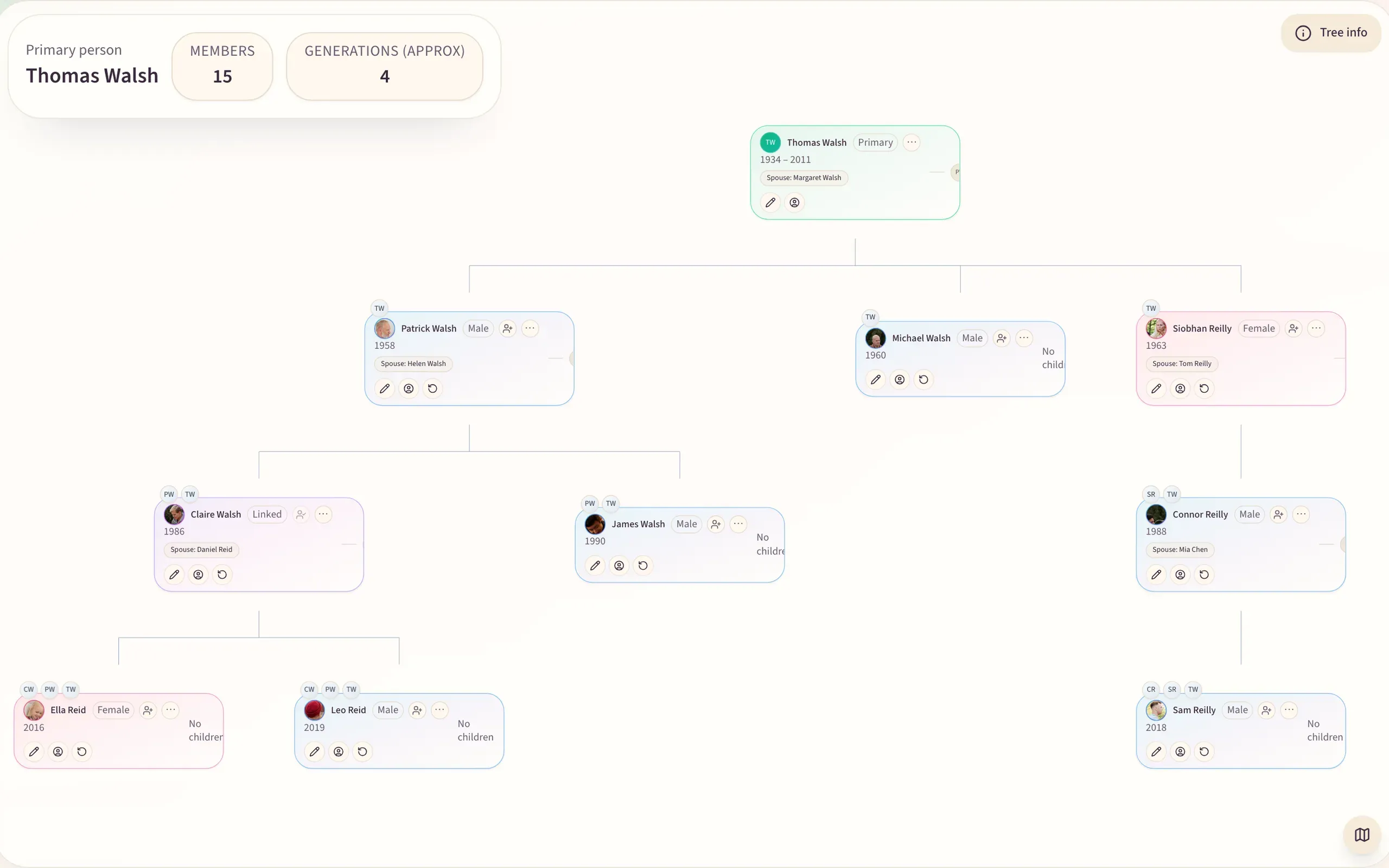
To create a family tree online, pick one place where the whole family can see and add to the same tree. Start with yourself and the people you are sure of, grow outward one person at a time, and give every person a photo. Write down what you don't know instead of leaving it blank, then invite the relatives who know the answers. One evening gets you the shape of three generations. The relatives you invite fill in the rest over the following weeks.
What “online” changes
A family tree on paper or in a file on one laptop belongs to whoever keeps it. Everyone else sends corrections by message, and most of them never arrive. A tree online can be one shared tree. Your aunt adds her side, your cousin fixes your grandfather's birth year, and nobody has to merge three versions at Christmas. The photos sit on the people they show, not in a folder named “scans_final_2”.
| Where the tree lives | Who can add to it | Photos on each person | Who can see it |
|---|---|---|---|
| Paper chart | Whoever holds the pen | Taped on, if at all | Whoever is in the room |
| Spreadsheet or document | One person, in practice | No | Whoever you email it to |
| Desktop genealogy software | The person whose computer it is on | Yes | Whoever you send the file to |
| Public genealogy site | Often anyone, into one world tree | Yes | Depends on settings; often public |
| Private family tree online | The relatives you invite | Yes | Only the family you invite |
Create your family tree online in seven steps
- Choose where the tree will liveChoose a place your relatives will actually open, where the family is invite-only and nobody pays to join. On Kunbaa the tree is free on every plan, with no limit on people, and you can build it on kunbaa.com or in the app.
- Start with yourself and the people you are sure ofAdd yourself, then your parents, your partner, your siblings and your children. Five or six people is enough to make the tree feel real. If you only know ten names, start with those ten, in this order.
- Grow outward, one person at a timeOpen your mother's card and add her parents and siblings. Open your partner's card and add their side. When a relative reaches through someone who isn't on the tree yet (a cousin needs an aunt or uncle), Kunbaa adds an unnamed placeholder in the gap, for you or anyone in the family to name later.
- Put a face on every personGive each person a profile photo. A photo turns a name into someone a ten-year-old recognises. It is also the quickest way for an older relative to spot a mistake: “that's not Uncle Ravi, that's his brother.”
- Record what you know, and mark what you don'tAdd a birth date where you have one, and Kunbaa shows the birthday in Events. Where you only know roughly, write “around 1948” or “born in Lahore, before Partition?” in the person's notes. A marked guess invites a correction; a blank invites nothing. For relatives who have passed, add a death date, or mark them as passed away with the date unknown.
- Invite the relatives who hold the answersSend invites to the people with the best memories first: usually a grandparent's sibling or the cousin who keeps the albums. A relative doesn't need an account to be on the tree; they only need one to open Kunbaa themselves, and their invite links to the place you already made for them. An admin decides who can add people and who can only look (member permissions).
- Bring in a tree you already haveIf someone in the family already keeps a tree on Ancestry, MyHeritage or desktop software, export it as a GEDCOM file and import it on kunbaa.com. Kunbaa matches it against the people already on your tree and shows you what it will write before it writes anything (importing a GEDCOM file).
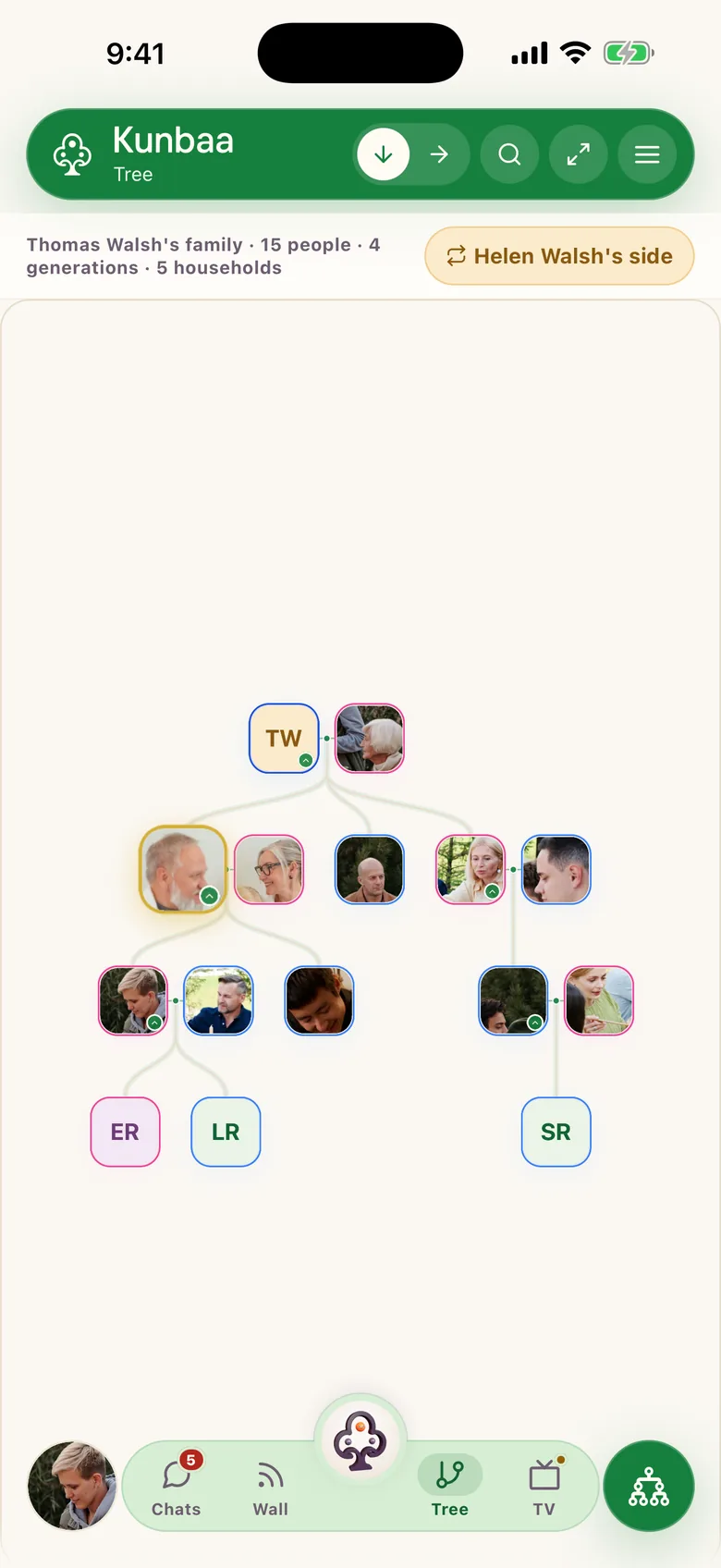
A shared tree gets corrected far faster than a private file.
Photos and videos, without the mess
Keep two kinds of picture apart. The profile photo is the one face that stands for a person on the tree. Everything else (the wedding album, the home video of the first steps, the scanned photo of the house in the village) goes to Moments, the family's shared timeline of photos and videos. Write in each caption who is in it, where and roughly when. A caption written today saves the next generation a guessing game.
Habits that keep the tree accurate
- Note where each fact came from, even if it is only “phone call with Nani, March 2026”.
- Write languages, migrations and the family's old house or village into the notes of the person they belong to, not a separate document.
- Keep your original scans on a drive of your own as well, so you always hold a copy of the source.
- Pick a date each season to tidy the tree together, and put it in Events so the family sees it.
- One tree for the whole family, never a copy per household.
Make it matter to the kids
Start with the living, not with the 1800s. Children care about a tree when they can find themselves on it and tap outward to their cousins. Then put them on the other side of the questions. Give a ten-year-old three questions and a phone to record on, point them at a great-aunt, and you will get stories no archive holds. Post the recording to Kunbaa with a caption saying who is speaking and when. Kunbaa accounts are for adults, so children appear on the tree and in the photos without an account of their own.
What to check before you pick a tool
Ask five questions of any family tree app or website. Can the whole family add to the same tree? Is there a limit on how many people it holds? Does each relative have to pay to join? Who can see the tree? Can you bring in the tree someone already keeps? On Kunbaa: yes, no limit, everyone in the family joins free, only the family you invite, and yes, by GEDCOM file. If you are weighing a specific app, the comparisons with Our Heritage, Family Echo and Family Tree Photo go point by point, and the best family tree apps sets them side by side.
Frequently asked questions
- Can I create a family tree online for free?
- Yes. On Kunbaa the family tree is free on every plan, with no limit on the number of people, and everyone you invite joins free.
- Do my relatives need an account to be on the tree?
- No. Anyone can be added as a person on the tree, including grandparents, children and relatives who have passed. An account is only needed for someone to open Kunbaa themselves.
- Can I import my tree from Ancestry or MyHeritage?
- Yes, on kunbaa.com. Export your tree as a GEDCOM file and import it: Kunbaa shows you what it will add before it writes anything. GEDCOM export from Kunbaa is not switched on yet.
- What if I don't know a grandparent's name?
- Add what you know. When a relative reaches through someone missing, Kunbaa adds an unnamed placeholder that you or anyone in the family can name later.
- Can children be on the family tree?
- Yes, as people on the tree, added and looked after by the adults in the family. Kunbaa accounts are for adults, 18 and over.